
Traveler guide · Mobile technology
What Is an eSIM and How Does It Work?
An eSIM is a digital SIM built into your phone that lets you activate a mobile plan without inserting a physical card. Learn how it works, what you need to use it, and why it can be useful for traveling.
What is an eSIM?
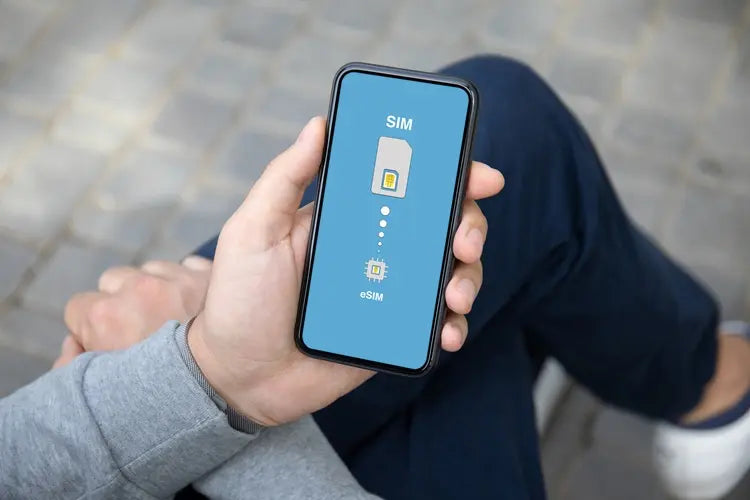
An eSIM, short for embedded SIM, is a digital SIM built directly into a compatible device. Unlike a physical SIM, you do not need to place a card in a tray to activate a mobile line.
The phone stores a digital carrier profile. This profile contains the information needed to connect to a mobile network and can be downloaded using a QR code, an activation link, or the provider's app.
In simple terms: an eSIM provides the same connectivity as a traditional SIM, but installation and management are handled directly from the device.

How does an eSIM work?
When you purchase an eSIM, the provider sends you instructions to download a mobile profile. Once installed, you can activate the line from your phone settings and choose how you want to use it.
Digital profile
This is the information that identifies your line and allows the device to connect to the contracted network.
QR code or link
This is the most common way to download the profile. Some providers also use an app or automatic activation.
One or more lines
Many phones let you store multiple profiles and choose which one to use, although the number of active lines depends on the model.
Manage it from settings
You can select the line for data, calls, or messages without removing a physical card.
Important: an eSIM is not a different network. Coverage depends on the carrier, contracted plan, phone, and location.
Benefits and limitations de una eSIM
Main benefits
- You do not need to buy, insert, or remove a physical card.
- You can keep your primary line and add another for data or travel.
- Activation can be completed online before you arrive at your destination.
- It is harder to physically remove if you lose your phone.
- You can switch between profiles from your device settings.
Things you should check
- The phone must support eSIM and be unlocked.
- Initial installation usually requires a stable Wi-Fi connection.
- The number of stored profiles and active lines depends on the model and region.
- Not all eSIMs include calls, SMS, or a local number.
- Coverage and speed depend on the carrier and the plan you choose.
How to activate an eSIM step by step
- Confirm that your phone supports eSIM and is unlocked.
- Purchase a plan from a carrier or eSIM provider.
- Connect to a stable Wi-Fi network.
- Open your mobile network settings and select the option to add an eSIM.
- Scan the QR code, open the activation link, or follow the app's instructions.
- Name the line and choose whether it will be used for data, calls, or messages.
- Test the connection and enable roaming only if the plan instructions require it.
On iPhone
The path may appear as Settings → Cellular → Add eSIM. From there, you can scan a QR code, transfer a compatible line, or use the provider's app.
On Android
The location varies by brand. You will generally find the option under Settings → Network & internet, Connections, or SIM → Add eSIM. Check the manufacturer's guide if the names are different.
Tip: if you are traveling, you can install the eSIM over Wi-Fi before leaving and keep it disabled until you arrive, as long as the plan terms allow it.
Compatibility y uso de dos líneas
Compatibility depends on the phone, system version, region where it was sold, and carrier. It is not enough for the model to have a compatible version in another country: check the specifications of your specific device.
iPhone
Recent models generally include eSIM and Dual SIM features. The number of stored profiles and active lines may vary.
Android
Several recent Samsung, Google Pixel, and other-brand models include eSIM, but support varies by country, carrier, and version.
Tablets and watches
Some iPads, smartwatches, and other devices also use eSIM, as long as the manufacturer and carrier support it.
Unlocked phone
A carrier-locked device may prevent you from installing or using an eSIM from another company.
Why use an eSIM when traveling?
An eSIM can help you arrive connected without looking for a store or changing your primary SIM. You can keep your usual number and use a second line for data in the country you are visiting.
- Purchase the plan before traveling and receive the instructions by email.
- Activate the line when you arrive and use maps, messaging, transportation, and bookings.
- Keep your primary SIM to receive calls or messages, if your device allows it.
- Choose a country, regional, or global plan based on your itinerary.
- Check whether the plan allows hotspot sharing and top-ups.
Before purchasing, review coverage, validity, data allowance, speed, included number, and activation terms.
Country, regional, or global eSIM: which should you choose?
Country eSIM
It is suitable if you are visiting a single country. It usually focuses service on one local network or a set of local networks.
Regional eSIM
It is useful when visiting several nearby countries and you want to avoid changing profiles when crossing borders.
Global eSIM
It can be useful for frequent international travel or itineraries covering several regions, although terms and pricing may vary.
Carrier eSIM
It is an option if you need a local number, calls, SMS, top-ups, or a prepaid line, depending on the product.
Frequently asked questions
Does an eSIM work like a physical SIM?
Yes, it provides mobile connectivity through a digital profile. The main difference is how the line is installed and managed.
Can I use an eSIM and a physical SIM at the same time?
On many compatible phones, you can use both lines, although available features depend on the model, region, and carrier.
Do I need Wi-Fi to install an eSIM?
Usually, yes, because the phone needs to download the profile during installation. Afterward, the eSIM will connect to the contracted mobile network.
Do all eSIMs include a phone number?
No. Some include a number, calls, and SMS; others are data-only. Review the plan features before purchasing.
What should I do if I lose my phone?
Contact the provider to suspend the line and request that the profile be reissued on another compatible device. Also protect your account and data by locking the device.
Conclusion
An eSIM is a practical way to activate and manage a mobile line without using a physical card. It can be especially useful for traveling, combining lines, or quickly purchasing data, as long as the phone and plan are compatible.
The best option depends on your needs: local number, calls, SMS, data, coverage, validity, and top-up availability. Review these points before purchasing and keep the installation instructions.


